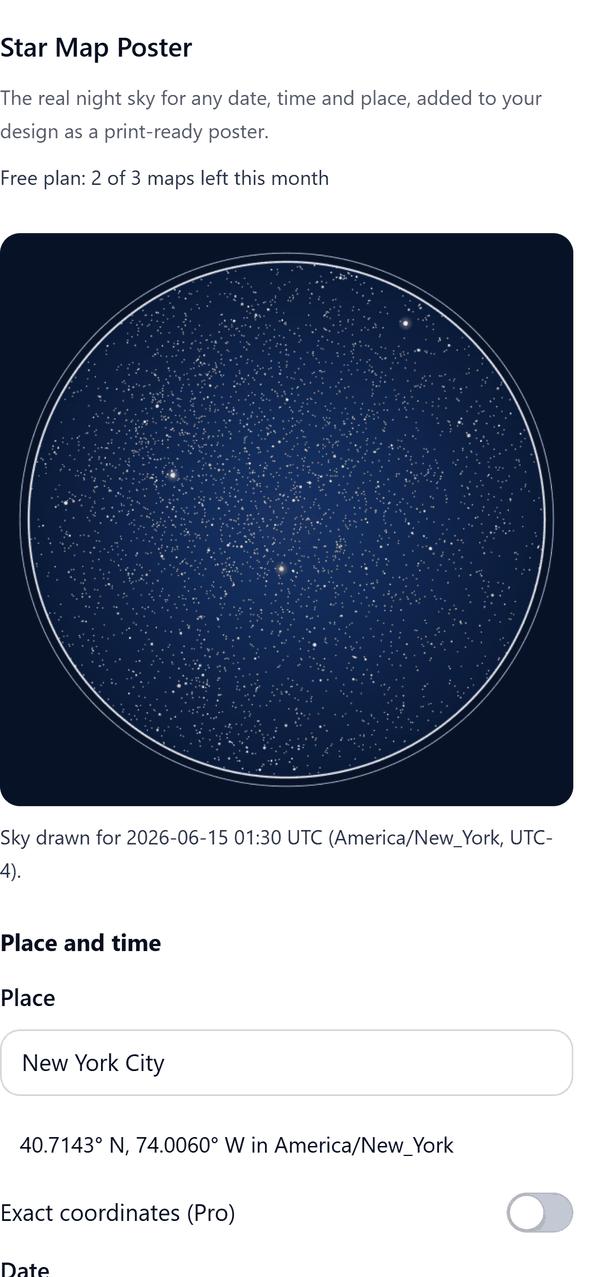
Star Map Poster
The real night sky for any date, time and place, as a poster
What it does
- Draws the stars above a place at a date and time, using the Yale Bright Star Catalogue down to magnitude 6.5
- Uses the clock time of the place and shows the UTC moment the sky is drawn for, and warns when a time is skipped or happens twice at a daylight saving change
- Lets you choose a poster size (8 x 10, 11 x 14, 16 x 20, 18 x 24 in, A4 or A3), a circle or full bleed frame and a style
- Adds the map as a new page: the sky is one picture and the caption is editable text
- Pro: constellation lines and names, a coordinate grid, a stylised Milky Way band, the moon phase, exact latitude and longitude, and larger pictures
How to use it
- Open a design and open Star Map Poster from the Apps tab.
- Under Place and time type a city and pick it from the list, then choose the Date and the Time.
- Check the preview and the line that shows the UTC moment the sky is drawn for.
- Under Caption type the names or title, a message and, if you want, a different place line.
- Choose the Page size and press Add map to design. A new page is added.
Free and Pro
Plan limits reset each calendar month (UTC). Pro is billed through Polar.
| Free | Pro | |
|---|---|---|
| Maps a month | 3 | Unlimited |
| Style | Classic navy | 8 styles |
| Constellation lines and names | No | Yes |
| Coordinate grid, Milky Way band, moon phase | No | Yes |
| Place | City from the list | City or exact coordinates |
| Picture size | Standard, 1600 px | Standard, High 3200 px and Print 4800 px |
| Price | $0 | $5 per month or $35 per year |
Data credits
- Stars: Yale Bright Star Catalogue, 5th revised edition (Hoffleit and Warren), public domain.
- Constellation lines: d3-celestial by Olaf Frohn, BSD 3-Clause licence.
- Cities and time zones: GeoNames (geonames.org), licensed CC BY 4.0. Cities of 15,000 people or more are included.
Manage your Pro licence
You get a licence key by email after you buy Pro. Paste it into the app and press Activate licence. To use the key on another Canva account, press Deactivate this licence first. To restore Pro after a reinstall or on a new device, activate the same key again. To cancel, use the link in your Polar receipt email. Full steps: buying, restoring and managing Pro.
FAQ
Is the sky accurate?
Star positions are calculated for your date, time and place. The Milky Way is a stylised band, not a photograph. The moon phase is calculated from the Moon's position and is accurate to within a few percent.
Which time zone is used?
The time zone of the city you pick, or the nearest listed city when you type coordinates. You can also type a UTC offset. The panel always shows the UTC time used.
Does my map leave my computer?
No. All drawing happens in your browser. Nothing about your map is sent anywhere. Our server only counts your monthly maps.
Where does the data come from?
Stars: Yale Bright Star Catalogue (public domain). Constellation lines: d3-celestial (BSD-3 licence). Cities and time zones: GeoNames (CC BY 4.0). Credits are also in the app under About and credits.
Which dates can I use?
Any date from 1900 to 2100.
How do I get help?
Email contact@tidybutton.com with the app name and a short description of what happened. Do not send your full licence key.
What data does this app keep?
See the Privacy Policy. In short: designs and images stay in your browser; our server keeps your Canva user and brand ids, monthly usage counts and your licence status.
Contact
contact@tidybutton.com