LUT Colour Grade
Film, cinematic and black and white looks for photos
What it does
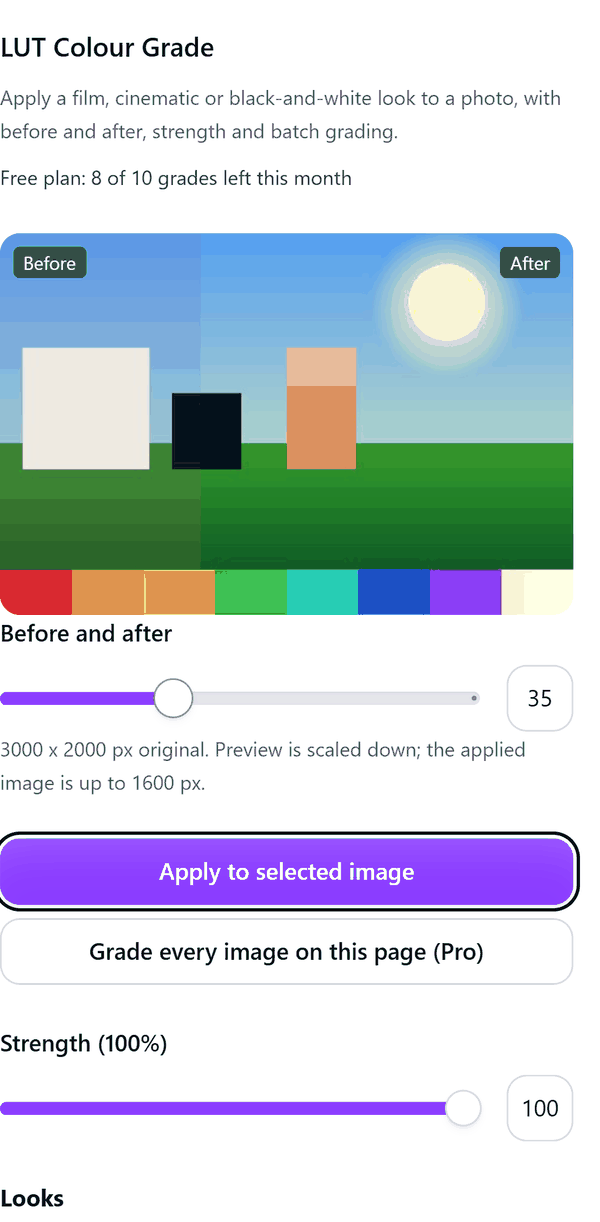
- Applies a 3D lookup table (LUT) to the selected image: 30 looks created for this app, or your own .cube file (Pro)
- Offers strength, exposure and contrast sliders and a before and after slider
- Runs in your browser (graphics card first, then a processing thread); the image is not uploaded to a server
- Keeps your own .cube files on this device only (browser storage), never uploaded
- Pro: grades every image on the page in one run, adds grain and vignette, and outputs up to 4000 px
How to use it
- Select an image in your design and open LUT Colour Grade from the Apps tab.
- Pick a look from the gallery. Move the before and after slider to compare.
- Adjust Strength, Exposure and Contrast.
- Press Apply to selected image. The graded image is added to your design.
- Pro: press Grade every image on this page, load a .cube file of your own, or add grain and vignette.
Free and Pro
Plan limits reset each calendar month (UTC). Pro is billed through Polar.
| Free | Pro | |
|---|---|---|
| Grades a month | 10 | Unlimited |
| Looks | 6 | 30 |
| Your own .cube files | No | Yes |
| Output size | Up to 1600 px | Up to 4000 px |
| Grade every image on the page | No | Yes |
| Grain and vignette | No | Yes |
| Price | $0 | $6 per month or $39 per year |
Manage your Pro licence
You get a licence key by email after you buy Pro. Paste it into the app and press Activate licence. To use the key on another Canva account, press Deactivate this licence first. To restore Pro after a reinstall or on a new device, activate the same key again. To cancel, use the link in your Polar receipt email. Full steps: buying, restoring and managing Pro.
FAQ
Is my photo uploaded?
No. Grading happens in your browser. Only a usage count and your licence status are sent to our server.
What is a .cube file?
A common text format for colour lookup tables, available from many colour grading tools. Your files are stored in your browser on this device.
Why is the result smaller than my original?
Free output is limited to 1600 px on the longest side and Pro to 4000 px. The panel shows the original size and the applied size.
What counts towards the monthly limit?
One grade is one image. Pro-only requests are blocked before any free grade is spent.
How do I get help?
Email contact@tidybutton.com with the app name and a short description of what happened. Do not send your full licence key.
What data does this app keep?
See the Privacy Policy. In short: designs and images stay in your browser; our server keeps your Canva user and brand ids, monthly usage counts and your licence status.
Contact
contact@tidybutton.com